Your bank texts you all month. Yuba adds it up.
Yuba reads the texts your bank already sends, right on your iPhone, and shows you where your money went.
- iPhone, iOS 17 or later
- Android to follow
- Ready in around 2 minutes
- Free for 60 days
Illustration · sample figures
How it works
- 01
Set up once
On iPhone, in Apple’s Shortcuts app. On Android, one permission.
- 02
Pay as usual
Yuba reads your new bank texts, from any Saudi bank, on your phone, and asks you if one is unclear.
- 03
See your month
Today, this month, and every transaction behind it.
Inside Yuba
The app’s own screens, with sample numbers.
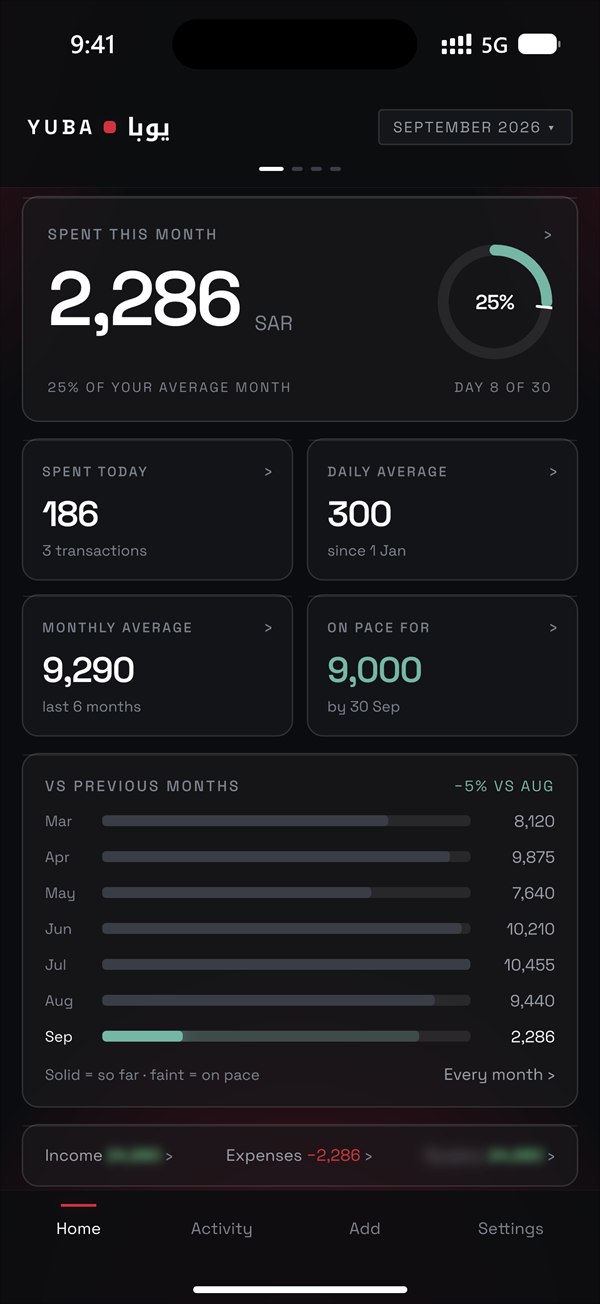
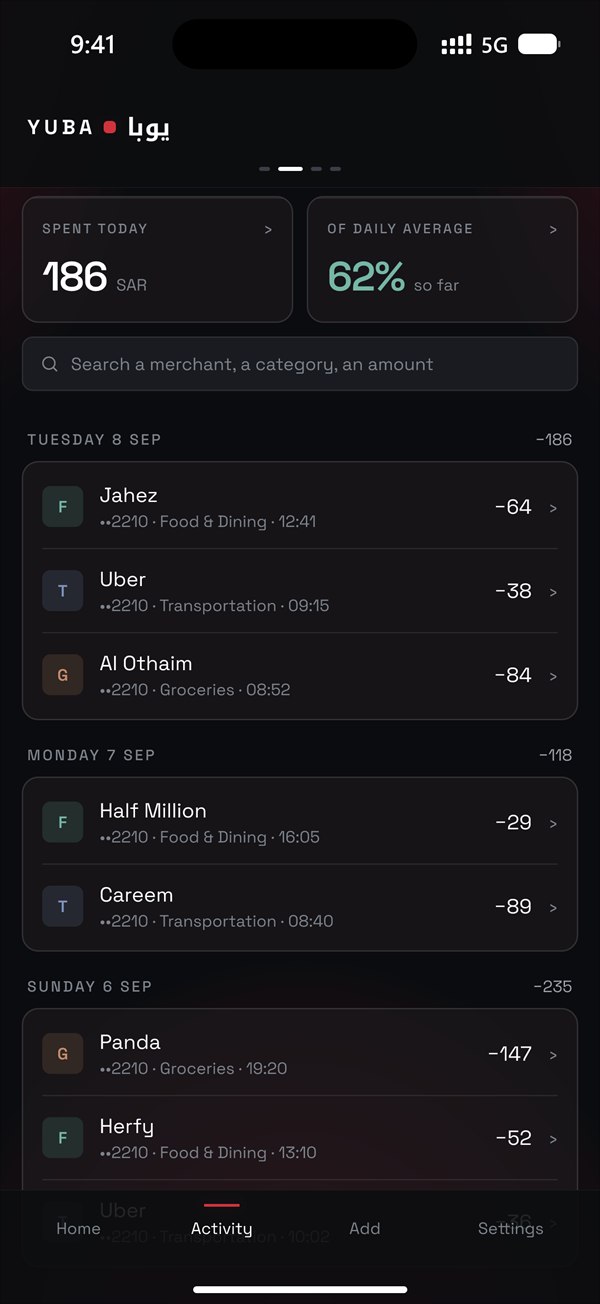
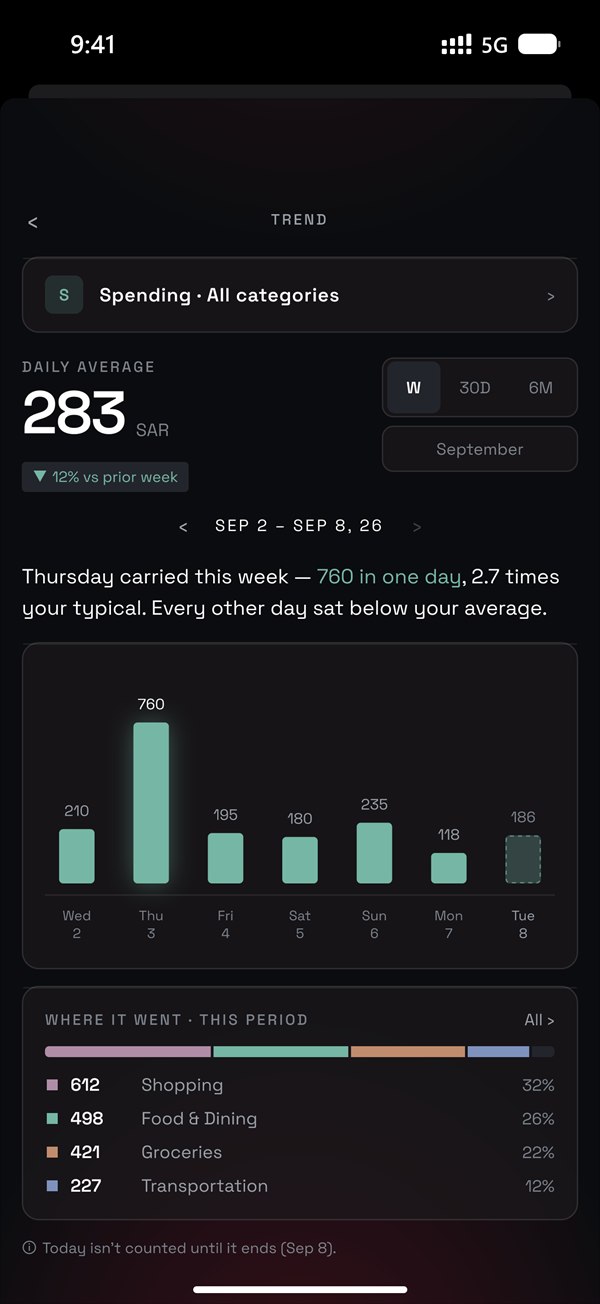
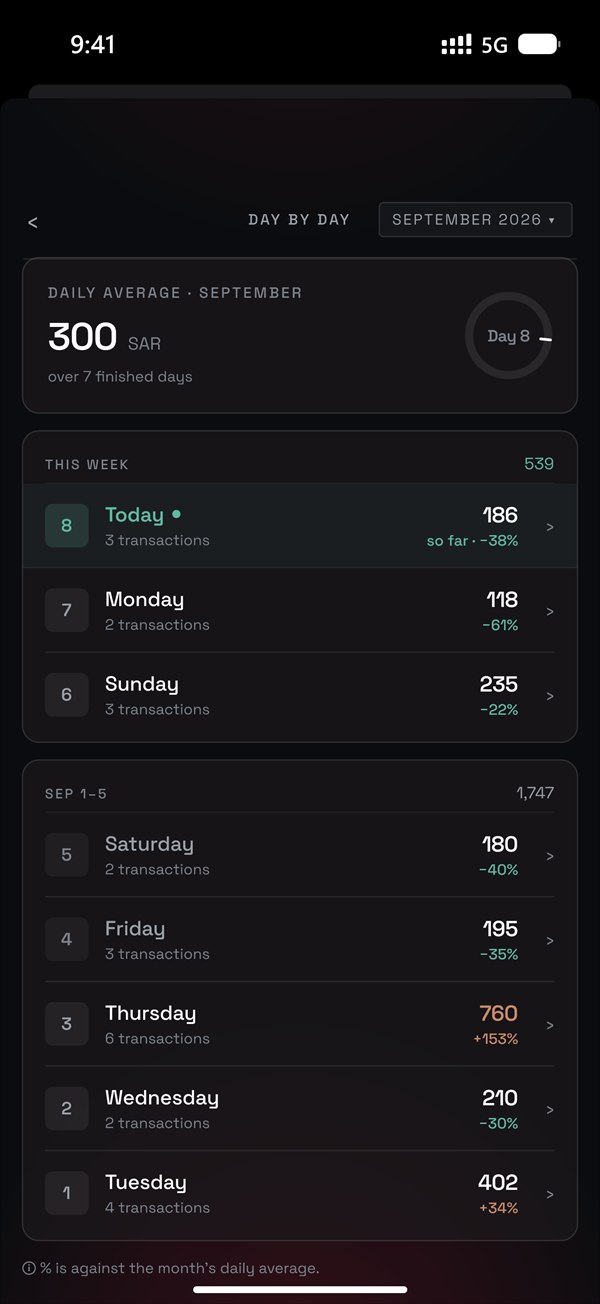
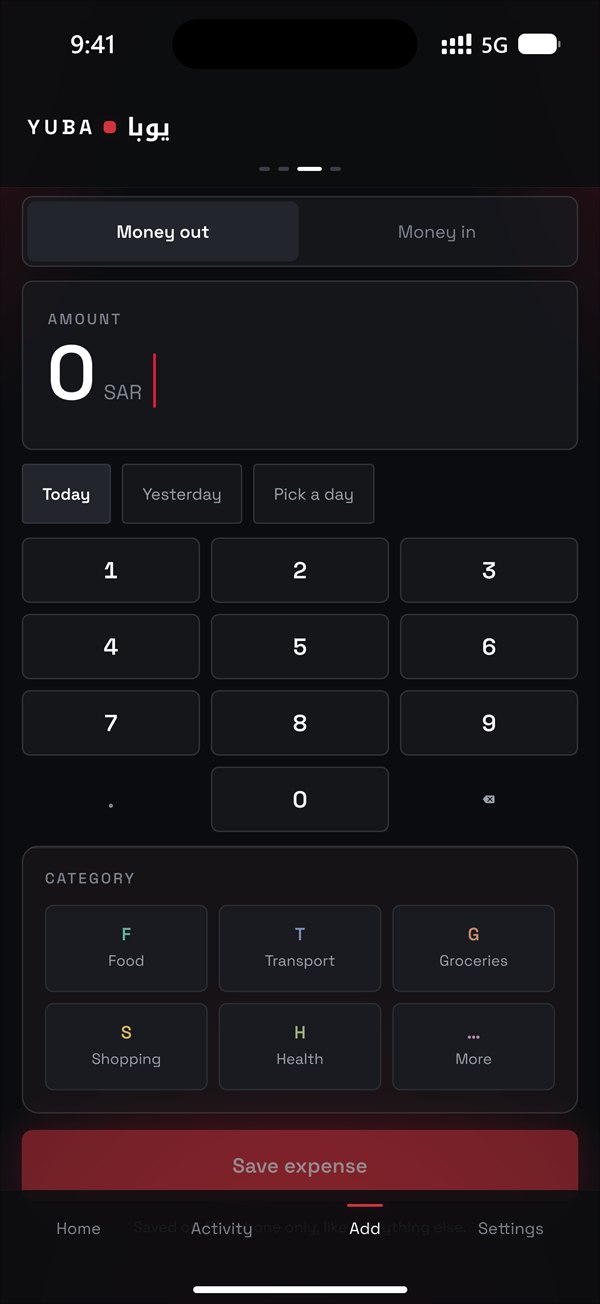
Your spending stays on your phone.
No bank login. No account. No ads. Nothing about your money reaches us unless you send it. The full privacy promise ›
Price
Free for 60 days.
From your first bank text, with everything open. You pay nothing unless you choose a membership.
From day 61, totals, averages and charts need a membership, except for the months that ended inside your free days. Without one, every transaction stays visible, Yuba keeps reading your texts, and export always works.
Through the App Store. Cancel any time in your Apple Account settings.
Questions
Does Yuba read all my messages?
No. On iPhone, Shortcuts hands Yuba only texts that contain SAR, SR or ريال. Yuba never sees the rest, and what it does get, it reads on your phone.
Which banks does it work with?
All Saudi banks. Yuba is made for the transaction texts Saudi banks send, in Arabic and English, and it keeps learning new wordings from the people who use it. When a text says money moved in a wording Yuba hasn’t learned yet, it asks you instead of guessing. Teach Yuba, in Settings, writes you an email with that wording, every digit a 9 and people’s names cut to initials, for you to send us.
Why the Shortcuts app on iPhone?
Apple doesn’t let apps read your messages. Instead, Apple’s Shortcuts app, set up once, hands Yuba the bank texts that mention riyals as they arrive. It’s Apple’s own tool, and you stay in control: you can turn it off any time. It takes around 2 minutes.
Does anything leave my phone?
Yuba sends nothing about your money. It has no server and no account. It goes online only to check for its own updates (a check that carries a random install number), and memberships run through Apple. Like every app, Yuba is included in your phone’s own backup, under your Apple Account. Every detail is on the privacy page.
What if I change phones?
Your history lives on your phone and in your phone’s own backup, so a new iPhone restored from that backup should bring it along. You can also export every transaction as a spreadsheet at any time.
Is Yuba on Android?
Coming soon. On Android there is no Shortcuts step: one permission does it.
أين تذهب فلوسك؟ الجواب في رسائل بنكك.
يقرأ يوبا رسائل بنكك على جوالك نفسه، ويرتّب مصاريفك أولًا بأول.
- على iPhone بنظام iOS 17 أو أحدث
- ونسخة Android في الطريق
- جاهز خلال نحو دقيقتين
- مجاني لمدة 60 يومًا
رسم توضيحي · أرقام افتراضية
كيف يعمل
- 01
جهّزه مرة واحدة
على iPhone عبر تطبيق «الاختصارات» من Apple، وعلى Android يكفي إذن واحد.
- 02
ادفع كعادتك
يقرأ يوبا رسائل بنكك الجديدة، من أي بنك سعودي، على جوالك، وإن لم تتضح له رسالة سألك عنها.
- 03
تابع شهرك
يومك وشهرك، وكل عملية بتفاصيلها.
داخل يوبا
شاشات التطبيق نفسه، بأرقام تجريبية.
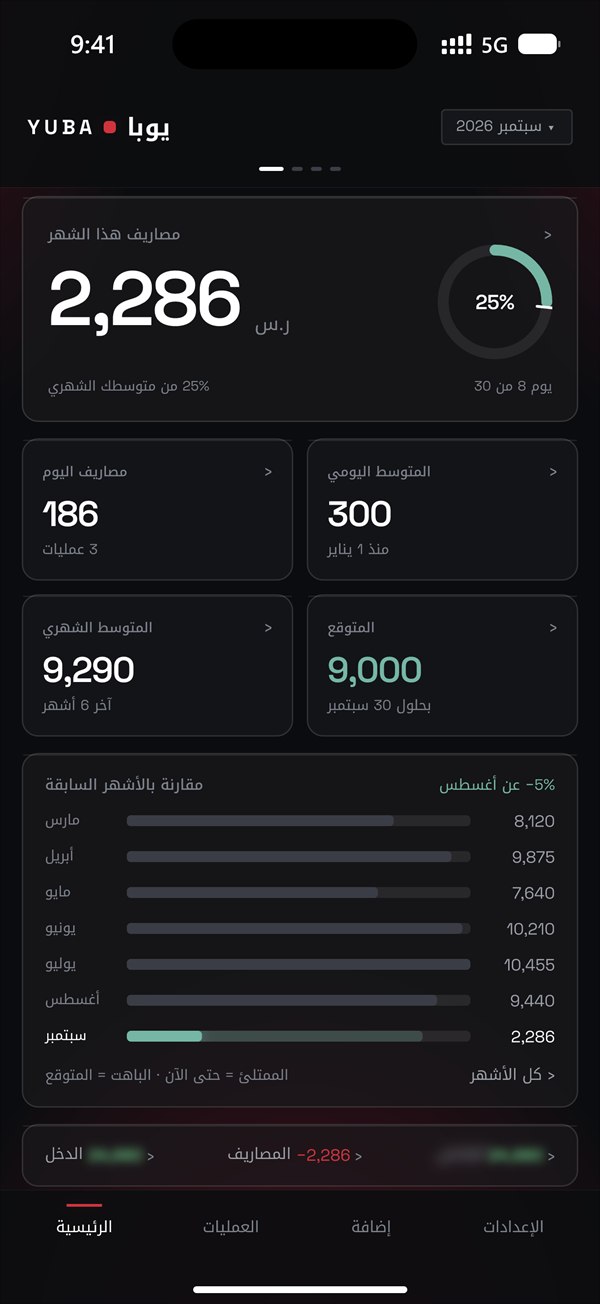
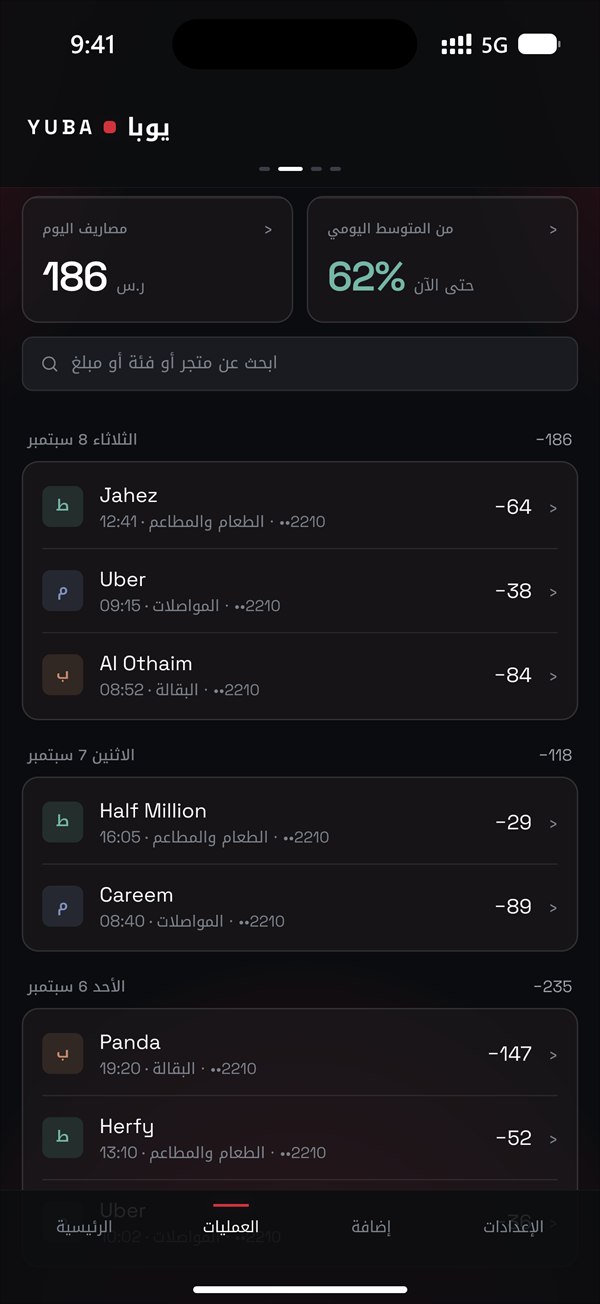
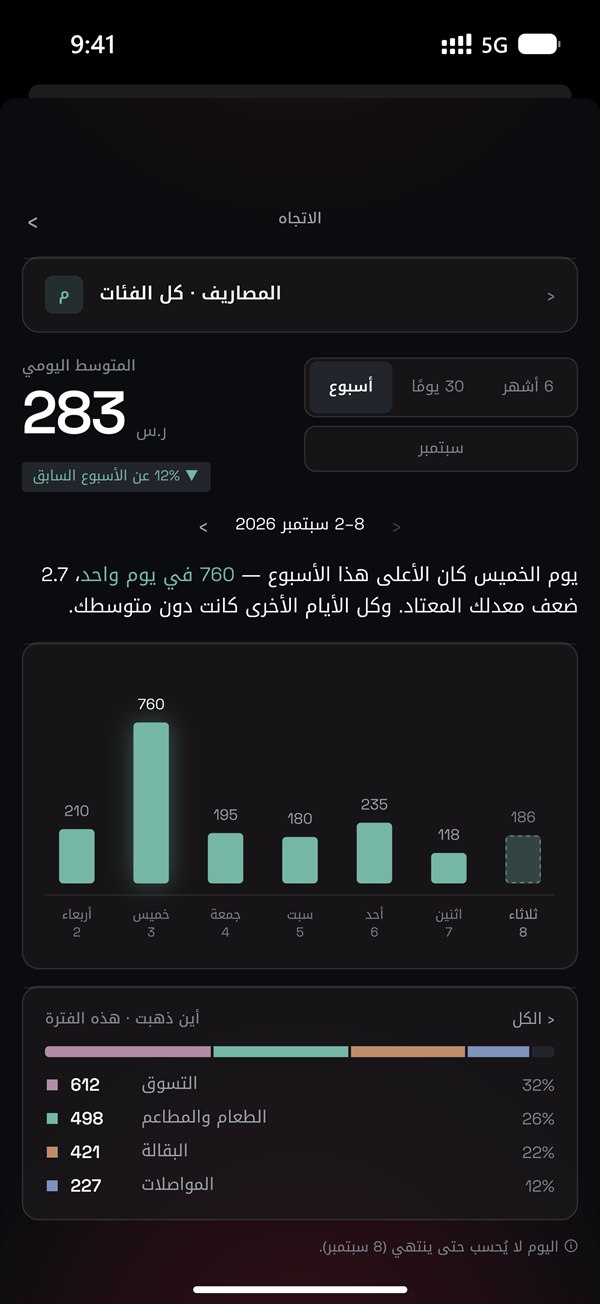
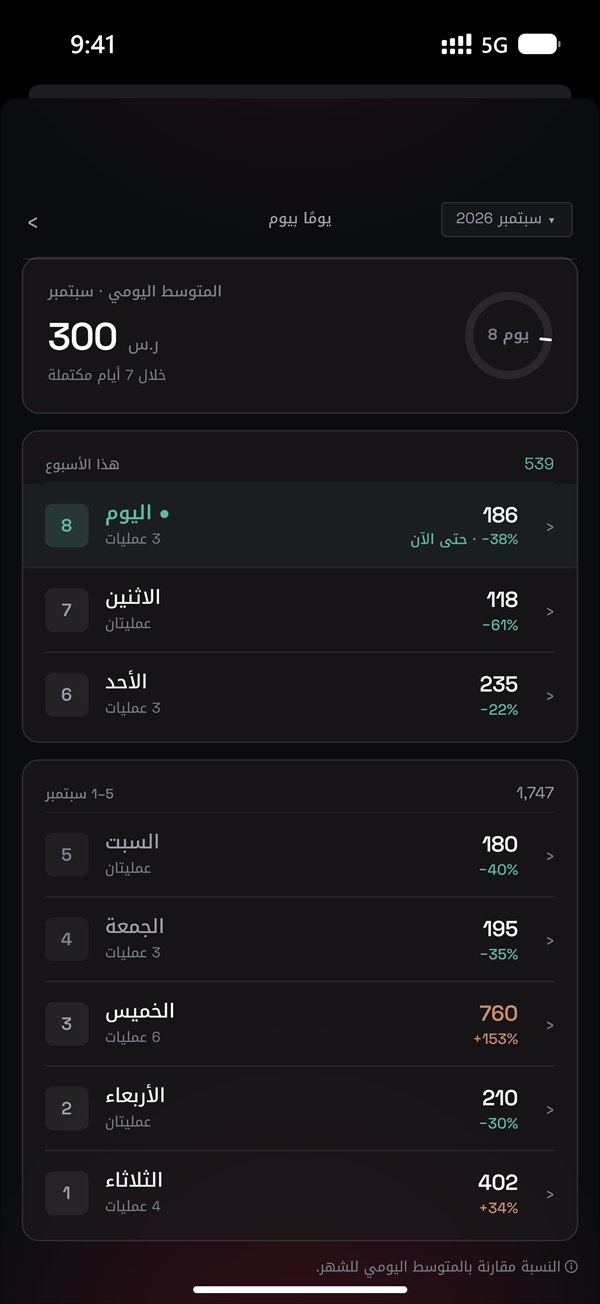
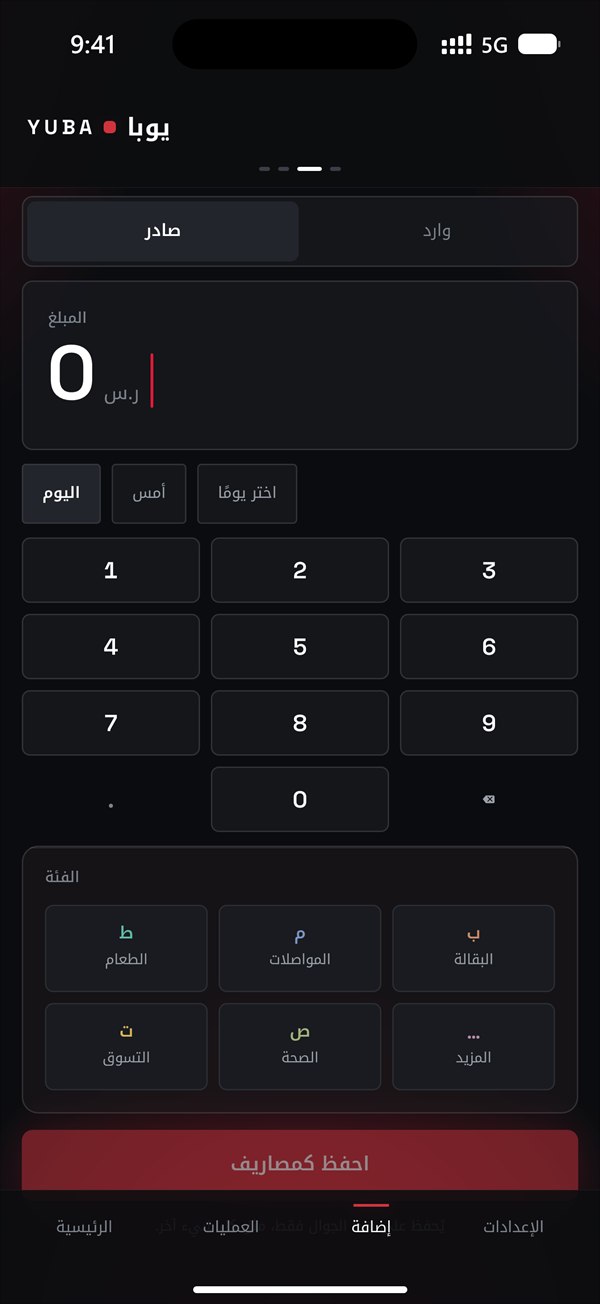
بياناتك المالية تبقى على جوالك.
لا ربط بحسابك البنكي، ولا تسجيل، ولا إعلانات. ولا يصلنا شيء عن مالك إلا ما ترسله أنت. وعد الخصوصية كاملًا ›
السعر
مجاني لمدة 60 يومًا.
من أول رسالة بنكية، وكل المزايا مفتوحة. ولا تدفع شيئًا ما لم تختر عضوية.
وابتداءً من اليوم 61 تحتاج المجاميع والمتوسطات والرسوم البيانية إلى عضوية، إلا للأشهر التي اكتملت خلال أيامك المجانية. ومن دونها تبقى كل عملياتك ظاهرة، ويستمر يوبا في قراءة رسائلك، والتصدير متاح دائمًا.
عبر App Store، ويمكنك الإلغاء متى شئت من إعدادات حساب Apple.
أسئلة شائعة
هل يقرأ يوبا كل رسائلي؟
لا. على iPhone لا تمرّر «الاختصارات» إلى يوبا إلا الرسائل التي فيها SAR أو SR أو «ريال». بقية رسائلك لا يراها يوبا، وما يصله يقرؤه على جوالك نفسه.
مع أي البنوك يعمل يوبا؟
مع كل البنوك السعودية. يوبا مصمَّم لرسائل العمليات التي ترسلها البنوك السعودية، بالعربية والإنجليزية، ويتعلّم الصياغات الجديدة باستمرار من مستخدميه. وإذا قالت رسالة إن مالًا تحرّك بصياغة لم يتعلّمها بعد، يسألك بدل أن يخمّن. و«علِّم يوبا» في الإعدادات يكتب لك رسالة بريد بتلك الصياغة، بعد أن يصير كل رقم فيها 9 وتُختصر أسماء الأشخاص إلى أحرفها الأولى، لترسلها إلينا بنفسك.
لماذا تطبيق «الاختصارات» على iPhone؟
لأن Apple لا تسمح للتطبيقات بقراءة رسائلك. تُعدّ «الاختصارات» مرة واحدة، فتسلّم يوبا رسائل البنك التي تذكر الريال حين تصل. هي أداة من Apple نفسها، والأمر بيدك: توقفها متى شئت. والإعداد يستغرق نحو دقيقتين.
هل يخرج شيء من جوالي؟
يوبا لا يرسل شيئًا عن مالك، فلا خادم له ولا حساب. ولا يتصل بالإنترنت إلا ليتحقق من تحديثاته، ويحمل هذا التحقق رقم تثبيت عشوائيًا، أما العضوية فتمرّ عبر Apple. وككل تطبيق، يُحفظ يوبا ضمن النسخة الاحتياطية لجوالك تحت حساب Apple الخاص بك. التفاصيل كلها في صفحة الخصوصية.
ماذا لو غيّرت جوالي؟
سجلّك محفوظ على جوالك وفي نسخته الاحتياطية، فإذا استعدت جوالك الجديد من تلك النسخة فمن المفترض أن يعود معه. ويمكنك أيضًا في أي وقت تصدير كل عملياتك إلى جدول بيانات.
هل يوبا متوفر على Android؟
قريبًا. وعلى Android لا حاجة إلى تطبيق «الاختصارات»: يكفي إذن واحد.